
If you think a roofing Google Business Profile is just an online directory listing, you are leaving serious money on the table. A Google Business Profile (GBP) is Google’s free tool that controls how your roofing company appears in local search results, Google Maps, and the Map Pack. With 46% of all Google searches carrying local intent, your GBP is often the first impression a homeowner gets of your business before they ever visit your website. This article breaks down exactly what a roofing GBP is, how to set it up correctly, and how to turn it into a genuine lead-generation asset.
Table of Contents
- Key takeaways
- What is a roofing Google Business Profile
- How to create your roofing Google Business Profile
- Optimizing your profile for local SEO impact
- Using your GBP as an active lead generation tool
- My honest take on GBP for roofing contractors
- Ready to get more roofing leads from Google?
- FAQ
Key takeaways
| Point | Details |
|---|---|
| GBP is your local search storefront | Your profile controls how your roofing company appears in Google Maps and local search results. |
| Video verification is now required | Google requires a continuous 30-second-plus mobile recording showing your business proof to verify service-area businesses. |
| Consistent NAP data drives rankings | Matching name, address, and phone number across your profile and website builds trust and improves local SEO. |
| Active profiles outrank inactive ones | Regular photo uploads, review responses, and posts signal to Google that your business is credible and current. |
| GBP functions as a lead tool | Messaging, booking, and call features built into GBP let prospects contact you directly without visiting your website. |
What is a roofing Google Business Profile
A roofing Google Business Profile is your company’s official presence on Google Search and Google Maps. It is not a website. It is a structured listing managed through Google that displays your business name, phone number, service area, hours, photos, customer reviews, and more. When a homeowner in your market searches “roofer near me” or “roof repair in [city],” Google pulls from your GBP data to decide whether to show your business and where to rank it.
The profile evolved from what was previously called Google My Business. In 2026, it functions as far more than a static listing. Think of it as a digital storefront that can receive calls, messages, appointment requests, and reviews all in one place.
Here is what a complete roofing business profile overview includes:
- Business name and primary category (selecting “Roofing Contractor” is non-negotiable)
- Service area with specific cities, counties, or zip codes you serve
- Phone number, website URL, and business hours including holiday hours
- Photos and videos of completed projects, your crew, and branded vehicles
- Customer reviews and your responses to them
- Posts for promotions, updates, and seasonal offers
- Q&A section where prospects ask questions and you answer publicly
- Booking and messaging features for direct prospect engagement
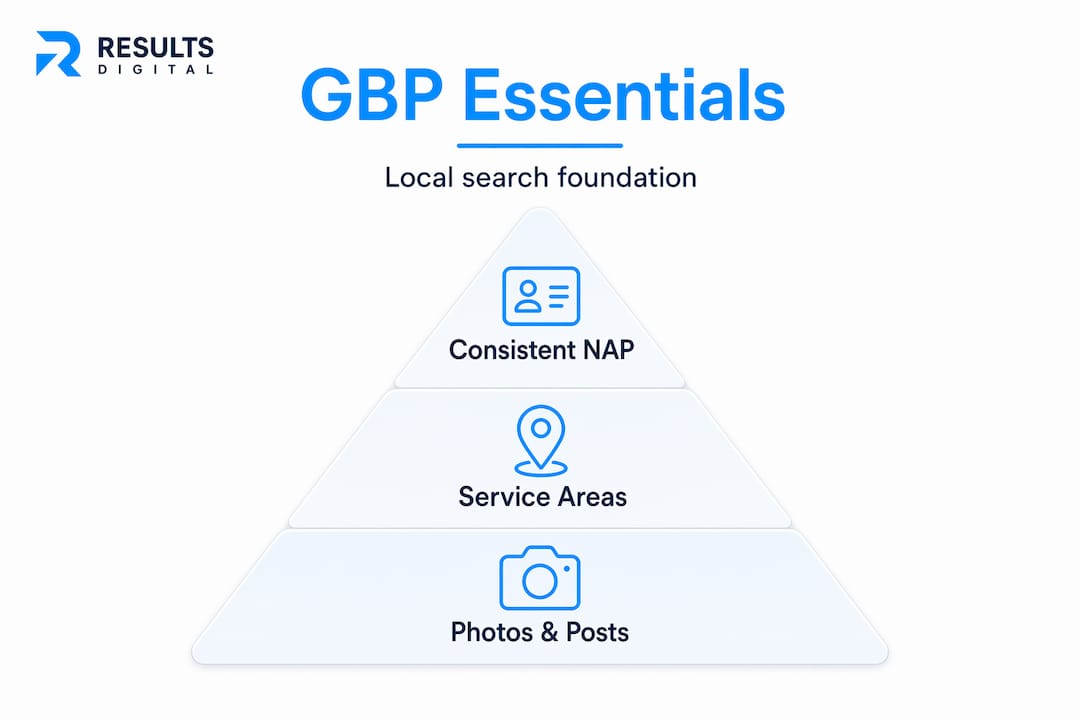
The primary data source for Google Maps is your GBP, which makes consistent NAP data (Name, Address, Phone) absolutely critical. If your phone number on your GBP does not match your website, Google loses confidence in your listing and your rankings suffer.
Pro Tip: Select “Roofing Contractor” as your primary category, then add secondary categories like “Gutter Contractor” or “Siding Contractor” if you offer those services. This expands the searches your profile can appear for without diluting your primary relevance.
How to create your roofing Google Business Profile
Setting up your profile correctly from day one saves you from verification headaches and ranking penalties later. Here is the exact process:
- Go to google.com/business and sign in with a Google account you own and control. Do not use a shared or client account.
- Enter your business name. If your business already appears in Google’s system, claim it rather than creating a duplicate. Duplicate listings hurt your rankings.
- Select your business type. For most roofing contractors, choose “Service area business” since you travel to customers rather than having them visit a physical location.
- Set your service area. Add the specific cities or regions you actively serve. Be precise. Listing your entire state when you only work in three counties will hurt your local relevance.
- Enter your contact information. Add your phone number and website URL. Make sure these match exactly what is on your website.
- Set your business hours. Include accurate weekday and weekend hours. If you offer emergency services, note that in your description.
- Complete the verification process. This is where most roofing contractors get stuck.
Understanding Google’s video verification
Google now requires video verification for most service-area businesses, including roofing contractors. This is not optional, and it is not a quick selfie video. You need a continuous, unedited mobile recording that is at least 30 seconds long. The video must show physical proof of your business, such as branded vehicles with your company name, on-site signage, or equipment at a job site. Simply pointing your phone at a laptop screen or showing a static office sign does not meet Google’s requirements.
The video must include footage of your location or vehicle, proof of your business name, and evidence that you manage the business. Once submitted, verification can take up to five business days.
Pro Tip: Film your verification video at an active job site or next to your branded work truck. Show your company name on the vehicle, your crew working, and yourself speaking to the camera. This approach satisfies all of Google’s physical presence requirements in one clean take.
Optimizing your profile for local SEO impact
Creating your profile is the starting line. Optimization is where you actually win leads. Businesses with rich GBP content receive 45 to 61% more listing views than those with sparse profiles. That gap translates directly into calls and jobs.
Here is what ongoing optimization looks like for a roofing contractor:
- Upload project photos consistently. Post before-and-after shots of every significant job. Roofing is visual. Homeowners want to see your work quality before they call.
- Respond to every review. Thank positive reviewers by name. Address negative reviews professionally and offer to resolve the issue offline. Review responses signal active management to both Google and prospects.
- Publish posts regularly. Use the Posts feature to share seasonal promotions, storm damage alerts, or financing offers. Treat it like a mini social media feed tied directly to your Google listing.
- Keep your hours and service area current. Update holiday hours before the holiday, not after. Outdated information erodes trust fast.
- Answer questions in the Q&A section. Do not wait for customers to answer questions about your business. Seed the Q&A yourself with common questions like “Do you offer free estimates?” and answer them.
The comparison below shows the difference between a neglected profile and an optimized one:
| Profile element | Neglected profile | Optimized profile |
|---|---|---|
| Photos | 0 to 3 stock images | 20-plus real project photos updated monthly |
| Reviews | Under 10, no responses | 50-plus reviews with consistent responses |
| Posts | None | Weekly or biweekly updates |
| Business description | Generic or blank | Keyword-rich, service-specific description |
| Q&A section | Unanswered or empty | 5-plus answered questions |
Google rewards active profiles with better local search rankings. Consistent activity is a ranking signal. A roofing contractor who posts twice a month, responds to reviews within 24 hours, and uploads fresh photos after every job will consistently outrank a competitor with a stale, untouched profile.
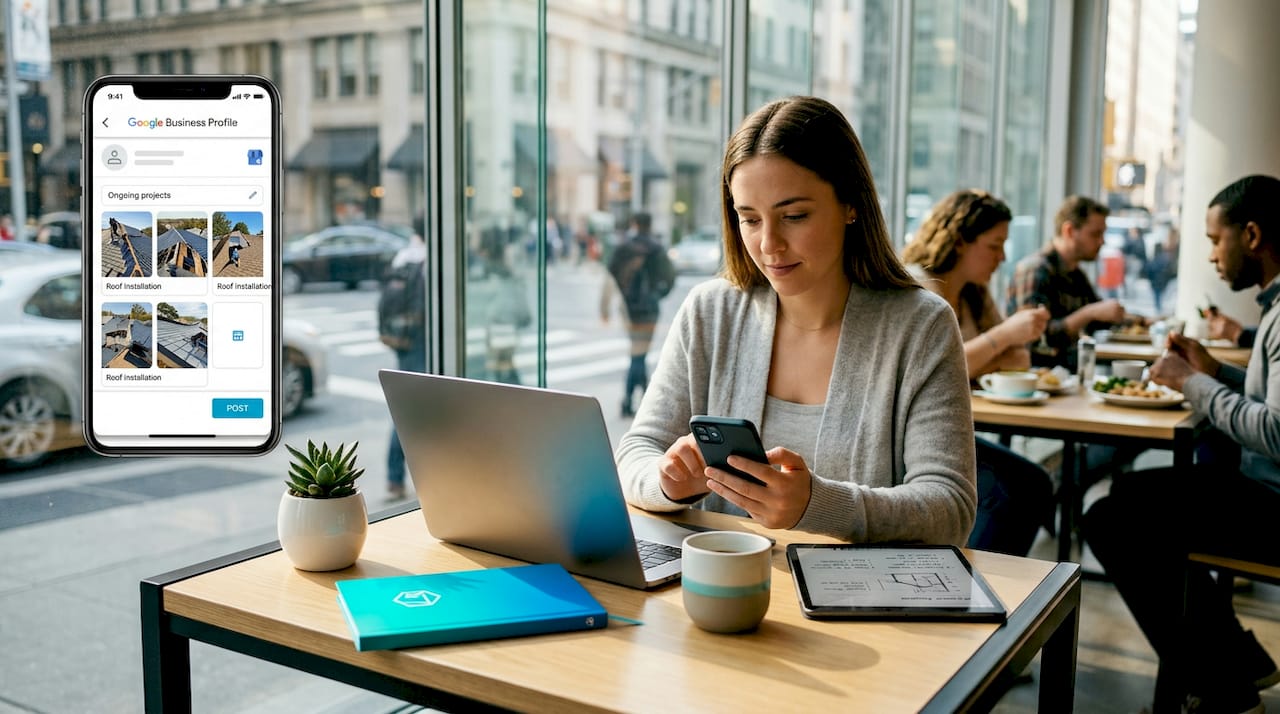
Pro Tip: Pair your GBP optimization with your roofing SEO strategy. Consistent branding between your website and your GBP, matching business name, logo, contact info, and service descriptions, reinforces trust signals that improve both your organic rankings and your local Map Pack position.
Using your GBP as an active lead generation tool
Most roofing contractors think of their GBP as a place where customers leave reviews. The reality is that GBP now functions as a landing page, a booking tool, and a contact form all at once. If you are not using these features, you are sending prospects to a dead end.
Here is how to turn your profile into a working lead tool:
- Enable messaging. Prospects can text your business directly from your GBP listing. Respond within minutes. Slow response times kill conversions.
- Add booking links. If you use scheduling software, connect it to your profile so homeowners can request an estimate without picking up the phone.
- Use the call button data. Google tracks how many people click your phone number from your profile. Monitor this in your profile analytics monthly.
- Track profile views and search queries. Your GBP dashboard shows how many people found you, what search terms they used, and what actions they took. This is free data that tells you exactly what your local market is searching for.
The table below shows the key GBP analytics metrics every roofing contractor should monitor:
| Metric | What it tells you |
|---|---|
| Profile views | How many people saw your listing in search or Maps |
| Search queries | The exact terms people used to find your profile |
| Direction requests | How many people looked up your address or service area |
| Calls | Phone number clicks directly from your GBP |
| Website clicks | Traffic sent from your GBP to your website |
| Photo views | Which project photos get the most engagement |
The Map Pack displays only three listings at the top of local search results. Landing in that top three for searches like “roof replacement in [your city]” can be the difference between a slow month and a fully booked crew. Your GBP is the primary lever for getting there. Pair it with Google Ads for roofers and you cover both the paid and organic sides of local search simultaneously.
Google’s AI-powered local search increasingly uses GBP data to generate and rank local service recommendations. That means a complete, active profile is not just good practice. It is table stakes for staying visible in 2026.
My honest take on GBP for roofing contractors
I have worked with roofing contractors across the country, and the pattern I see most often is this: a contractor sets up their GBP once, maybe uploads a few photos, and then forgets about it for two years. Then they wonder why their competitor down the street keeps showing up in the Map Pack and they do not.
The truth is that experts treat GBP as a liquid asset that requires ongoing investment. It is not a set-it-and-forget-it listing. It is closer to a sales rep who is always on call. If you stop feeding that rep with new information, photos, and customer feedback, their performance drops.
What I have also seen is that the contractors who integrate their GBP with their broader digital marketing strategy pull ahead fast. Your GBP, your website, your Google Ads, and your review strategy all reinforce each other. Neglect one and the whole system underperforms.
The other mistake I see constantly is inconsistent information. Your GBP says your phone number is one thing, your website says another, and your Facebook page says a third. Google sees that inconsistency and penalizes your ranking. Homeowners see it and lose trust. Fix it before you do anything else.
Treat your GBP like the digital front door to your business. Would you let your actual front door fall apart?
— Results
Ready to get more roofing leads from Google?
Your Google Business Profile is one of the highest-return tools available to a roofing contractor, but only if it is actively managed and connected to a broader local marketing strategy. At Resultsdigitalus, we build and manage GBP profiles exclusively for roofing contractors, gutter companies, and siding contractors. We do not work with your competitors in your market.
If you want to understand the full picture of local lead generation for roofers and how your GBP fits into a system that generates consistent bookings, explore our guide on generating roofing leads. We have helped roofing companies scale from small crews to eight-figure exits. The process starts with getting your local presence right.
FAQ
What is a Google Business Profile for a roofing company?
A Google Business Profile for a roofing company is a free Google listing that controls how your business appears in local search results and Google Maps. It includes your contact information, service area, photos, reviews, and direct contact features like messaging and booking.
How do I verify my roofing Google Business Profile?
Google now requires video verification for most service-area businesses. You need to submit a continuous, unedited mobile recording of at least 30 seconds showing physical proof of your business such as branded vehicles or job site signage. Verification typically takes up to five business days.
Why does my roofing company need a Google Business Profile?
With nearly half of all Google searches carrying local intent, a complete and active GBP is the primary way homeowners find and evaluate roofing contractors in their area. It directly influences whether your business appears in the Map Pack, which shows only three listings at the top of local results.
How often should I update my roofing Google Business Profile?
You should update your profile at minimum twice a month with new photos, posts, or responses to reviews. Google treats regular activity as a ranking signal, and active profiles consistently outrank neglected ones in local search results.
What category should I choose for my roofing Google Business Profile?
Select “Roofing Contractor” as your primary category. If you also offer gutter or siding services, add those as secondary categories to expand the range of local searches your profile can appear for.
